
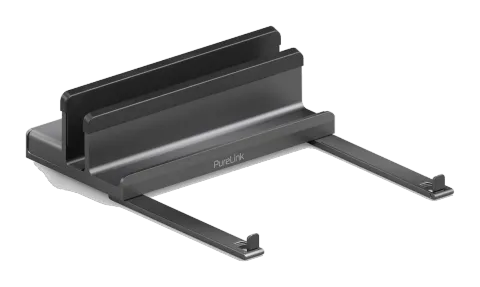
Get Things Organized
DOCKING STAND | 7-IN-1 USB-C DOCKING STATION DS100
Warranty and Liability
If any fault or damage is detected on your product, please contact your dealer and provide your sales slip or invoice as evidence of the purchase, if necessary. Your dealer will repair the fault either on site, or send the device to PureLink. Please describe all faults in detail especially intermittent faults which may not be obvious at first inspection. Only with complete information can we be sure to repair all faults in full!
Disclaimer of liability
PureLink GmbH will not be held liable, nor provide any warranty for damage resulting from improper installation, assembly and use of the product, or failure to observe the operating instructions and/or safety instructions.
Trademark
This product complies with the statutory national and European requirements. All company names and product names are trademarks of their respective owners. All rights reserved. We reserve our right for misprints and changes of the device, packing or user manual. HDMI® is a registered trademark of HDMI Licensing Administrator, L.L.C
CE Conformity
PureLink GmbH hereby declares that the VL-DS100 complies with Directive 2014/53/EU. The full text of the EU Declaration of Conformity is available at the following internet address: http://www.purelink.de
Disposal of the Device
WEEE-Reg. No.: DE 93847290
According to the European WEEE directive, any electrical and electronic equipment must not be disposed with consumers waste. As a consumer, you are committed by law to reposit electrical and electronic devices to public collecting points or to the dealer for free at the end of the device’s lifetime. Details are regulated in the respective national legislations. The garbage can symbol on the product, in the manual or on the packaging refers to these terms. With the return of your used devices you actively take part in protecting the environment.
Learn more at www.purelink.de
PureLink GmbH | Von-Liebig-Str. 10 | 48432 Rheine | Germany
PureLink UK LTD. | Carpenter Court | 1 Maple Road | Bramhall | Stockport | Cheshire SK7 2DH | United Kingdom
Visit our website help.purelink.de for more information about the product and support.
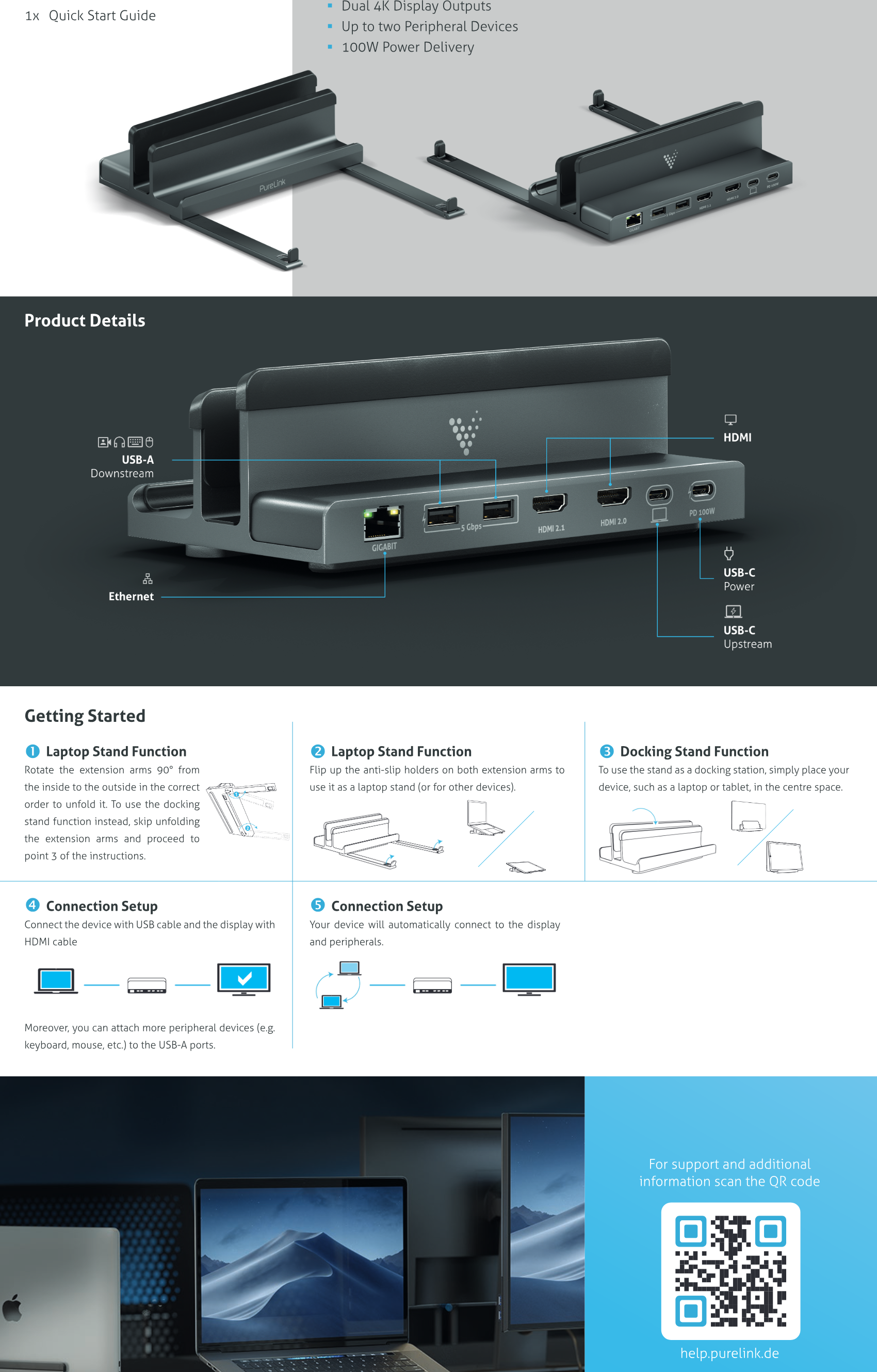
Laptop Stand Function
Rotate the extension arms 90° from the inside to the outside in the correct order to unfold it. To use the docking stand function instead, skip unfolding the extension arms and proceed to point 3 of the instructions.
Docking Stand Function
To use the stand as a docking station, simply place your device, such as a laptop or tablet, in the centre space.
Connection Setup
- Connect the device with USB cable and the display with HDMI cable
- Your device will automatically connect to the display and peripherals.
- Moreover, you can attach more peripheral devices (e.g. keyboard, mouse, etc.) to the USB-A ports.
Laptop Stand Function
Flip up the anti-slip holders on both extension arms to use it as a laptop stand (or for other devices).
Product Details
For support and additional information scan the QR code help.purelink.de
Getting Started
What´s in the box
- 1x Vuelogic 7-in-1 USB-C Docking Stand
- 1x USB-C to USB-C Cable
- 1x Quick Start Guide
Vuelogic 7-in-1 USB-C Docking Stand
- Stylish innovative and compact stand design
- Unique Multi Device Stand
- Dual 4K Display Outputs
- Up to two Peripheral Devices
- 100W Power Delivery
Legal & Compliance
Product identification
Model: VL-DS100 – manual version 1.0
Packaging
Dispose of packaging separately by material (paper/cardboard, plastics) via the local collection systems. Keep packaging material away from children – risk of suffocation. Packaging register LUCID: DE5958616449295.