
Discontinued
PT-PSW-61
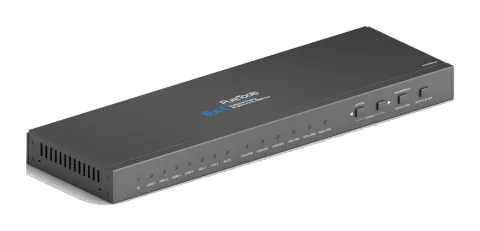
PureTools - Scaler Switcher 6x1, 4K, HDMI Output
PureTools - Scaler Switcher 6x1, 4K, HDMI Output.
ManualControl (TCP/IP)FAQSpecificationsCEAvailable control interfaces. Expand an active type to see the full command table.
No matching commands.
RS232 Commands69 commandsActive
Source: manual, chapter RS232 Control, page 17
| Command | Description | Response | |
|---|---|---|---|
| 50701% | Switch to HDMI 1 Input | Switch to HDMI 1 | |
| 50702% | Switch to HDMI 2 Input | Switch to HDMI 2 | |
| 50703% | Switch to HDMI 3 Input | Switch to HDMI 3 | |
| 50704% | Switch to HDMI 4 Input | Switch to HDMI 4 | |
| 50705% | Switch to VGA 1 input | Switch to VGA 1 | |
| 50706% | Switch to VGA 2 input | Switch to VGA 2 | |
| 50785% | Enable auto-switching | Auto Switching | |
| 50786% | Disable auto-switching | Manual Switching | |
| 50619% | Change the resolution to 1360X 768 | Resolution: 1360x768 | |
| 50620% | Change the resolution to1920X1200 WUXGA | Resolution: 1920x1200 | |
| 50626% | Change the resolution to 1024X768 XGA | Resolution: 1024x768 | |
| 50627% | Change the resolution to 1280X720 720P | Resolution: 1280x720 | |
| 50628% | Change the resolution to 1280X800 WXGA | Resolution: 1280x800 | |
| 50629% | Change the resolution to 1920X1080 1080P | Resolution: 1920x1080 | |
| 50604% | Lock the front panel buttons | Front Panel lock | |
| 50605% | Unlock the front panel buttons | Front Panel Unlock | |
| 502xx% | Set the brightness to xx (xx ranges from 0 to 99) for VGA input | Brightness: xx | |
| 503xx% | Set the contrast to xx (xx ranges from 0 to 99) for VGA input | Contrast: xx | |
| 504xx% | Set the saturation to xx (xx ranges from 0 to 99) for VGA input | Saturation: xx | |
| 505xx% | Set the sharpness to xx (xx ranges from 0 to 99) for VGA input | Sharpness: xx | |
| 50607% | Adjust the color temperature for VGA input | Color Temperature: xx (xx= Cool/ Medium/ Warm/ User.) | |
| 50608% | Set the aspect ratio for VGA input | Aspect Ratio: xx (xx= 16:9/ 4:3/ auto/) | |
| 50614% | Set the picture mode for VGA input | Picture Mode: xx (xx= dynamic/ standard/ mild/ user) | |
| 50615% | Set SM audio mode for VGA input | Sound Mode: xx Sound Mode: xx (xx= standard/ music/ movie/ sports/ user) | |
| 50648% | Enable HDMI embedded audio output | Embedded Audio Output: enable | |
| 50649% | Disable HDMI embedded audio output | Embedded Audio Output: disable | |
| 50606% | Auto-adjust the input parameter for (VGA only) | VGA Input Auto | |
| 50699% | Check the system version | Version Vx.x.x | |
| 50697% | Exit standby mode | Wake up! | |
| 50797% | Enter standby mode | Go to standby! | |
| 50698% | Software update | ||
| 50617% | Reset to factory defaults | Factory Reset | |
| 50707% | Change the horizontal polarity to the opposite,1 means positive polarity,0 means negative polarity | Hpolarity:0/1 | |
| 50708% | Change the vertical polarity to the opposite,1 means positive polarity,0 means negative polarity | Vpolarity:0/1 | |
| 50769% | Read the EDID file( the file must be named EDID.bin) to the flash from U flash disk | ||
| 50772% | Set the EDID date of all input ports: bypass mode | EDID:bypass mode | |
| 50773% | Set the EDID date of all input ports: 1080P&PCM 2ch | EDID:1080P&PCM 2ch | |
| 50774% | Set the EDID date of all input ports:1080P&5.1ch | EDID:1080P&5.1ch | |
| 50775% | Set the EDID date of all input ports: 1080P 3D&5.1ch | EDID:1080P3d&5.1ch | |
| 50776% | Set the EDID date of all input ports: 1080i&PCM 2ch | EDID:1080i&PCM 2ch | |
| 50777% | Set the EDID date of all input ports: 4K&PCM 2ch | EDID:4K&PCM 2ch | |
| 50787% | Set the EDID date of all input ports: user | EDID:user | |
| 50653% | Switch off audio&video output | Output black:enable | |
| 50654% | Switch on audio&videio output | Output black:disable | |
| 50631% | Check the input source | Input: xx | |
| 50632% | Check the output resolution | Resolution: xx | |
| 50633% | Check the image mode | Picture Mode: xx | |
| 50634% | Check the audio mode | Sound Mode: xx | |
| 50635% | Check the image aspect ratio | Aspect Ratio: xx | |
| 50636% | Check the brightness | Brightness: xx | |
| 50637% | Check the contrast | Contrast: xx | |
| 50638% | Check the saturation | Saturation: xx | |
| 50639% | Check sharpness | Sharpness: xx | |
| 50640% | Check the color temperature | Color Temperature: xx | |
| 50652% | Check Digital audio output status | Embedded Audio Output: enable/disable | |
| 50655% | Check video&audio output status | 50655% Black screen Disable/ Black screen Enable | |
| 50709% | Check the present resolution and polarity | 1920x1080 Hpolarity:1 Vpolarity:0 | |
| 50754% | Check the panel locked status | Front Panel Lock/UnLock | |
| 50778% | Inquire EDID s | EDID:xx | |
| 50670% | Move the image to left | Output Position Adjust X xx | |
| 50671% | Move the image to right | Output Position Adjust X xx | |
| 50672% | Move the image up | Output Position Adjust Y xx | |
| 50673% | Move the image down | Output Position Adjust Y xx | |
| 50674% | Stretch left from left side (increase image width) | Output Width Adjust xx | |
| 50675% | Pull right from left side (decrease image width) | Output Width Adjust xx | |
| 50676% | Stretch upwards from top side (increase image height) | Output Height Adjust xx | |
| 50677% | Stretch downwards from top side(decrease image height) | Output height adjust xx | |
| 50678% | Enable screen output adjusting | Enter Output Position Adjust | |
| 50679% | Disable screen output adjusting | Exit Output Position Adjust |