
Manual Contents
Welcome! Product Description
Welcome!
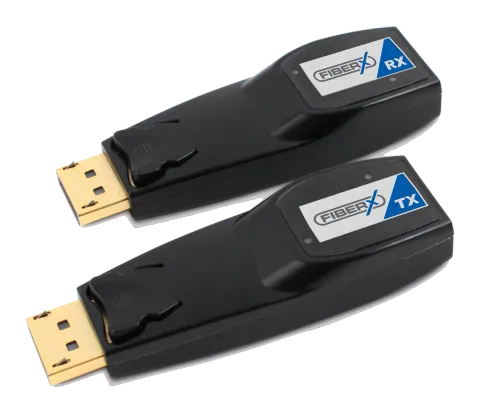
Congratulations on your purchase of the two (2) fibers DisplayPort extender, FX-D250. This manual contains information that will assist you in installing and operating the product.
Product Description
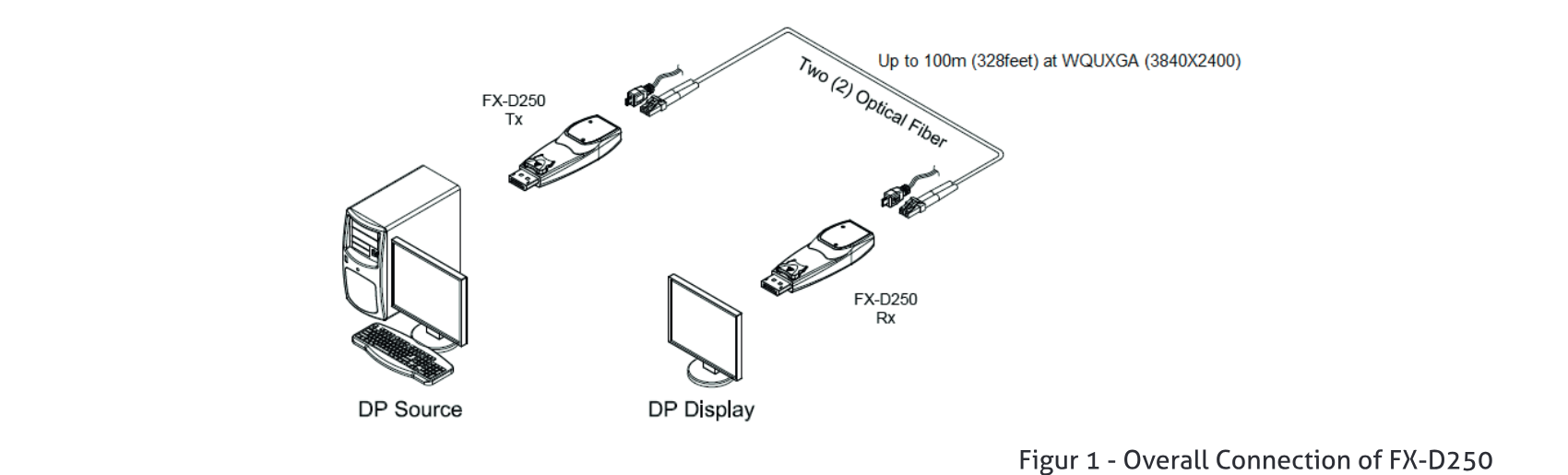
New compact optical DisplayPort extender, FX-D250 enables to transmit 4K (4096x2160) at 60Hz signal up to 100m (328feet), avoiding any tricks like scaling or data compression for lessening a burden of data transmission. It provides total data throughput 21.6Gbps (5.4Gbps per lane).
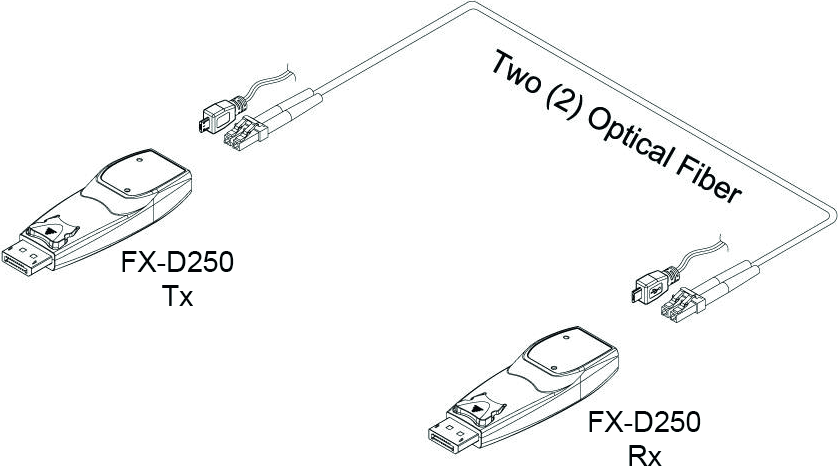
The OM3 fiber connection by two (2) LC fibers connector between transmitter and receiver, gives clean, secure and easy installation with perfect electrical isolation, but without electrical hazard and interference. The FX-D250 can be operated by either USB power by plugging the USB cable or 3.3V from pin #20 of DisplayPort interface.
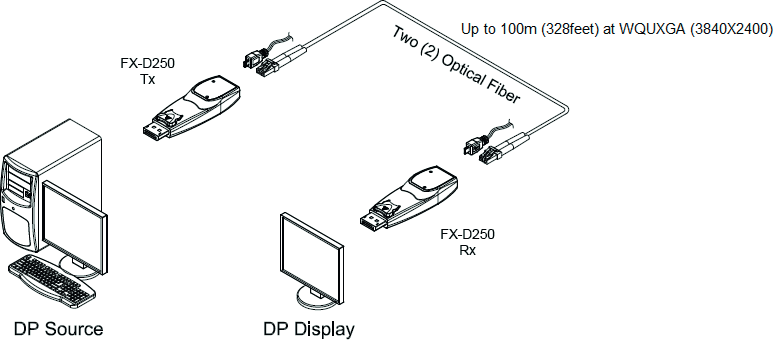
Figur 1 - Overall Connection of FX-D250
System Requirements for Setup
Hardware Requirements
- You have to have a DisplayPort source and display. It should support the maximum graphic resolution feature of displays to be connected.
- No special requirements of memory size, CPU speed and chipsets, if you’ve already properly installed your DisplayPort systems or graphic cards.
- Proper initial trial of the entire platform with its application using a short length copper cable is recommended prior to installation with the optical link.
Software Requirements
- No special restrictions, if you’ve already properly installed your DisplayPort systems.
Power Technical Advisory
- Enclosed Power Adaptors and USB cables supply power to both Transmitter and Receiver.
Installation
Connection Advisory
- It is highly recommend that DisplayPort source is directly connected into DisplayPort display output via FX-D250 without connection to incompatible distributor, switcher and selector.
The Shipping Group of FX-D250;
- One (1) Transmitter (Tx) and One (1) Receiver (Rx)
- One (1) 0.2m Male to Female DisplayPort copper cable
- Two (2) Micro USB to USB cables
- User’s Manual
- Default connection is direct connection to both source (Tx side) and display (RX side)
- If direct connection is impracticable, 0.2m DisplayPort copper cable is strongly recommended to use on TX (Display Source) side only
IMPORTANT: PLEASE KEEP THE INSTALLATION PROCEDURE BELOW. IMPROPER OR NO OPERATION MAY RESULT IF THE START-UP SEQUENCE IS NOT CORRECTLY FOLLOWED.
- Carefully unpack the contents in the shipping group.
- Power on the DisplayPort source and display. Both the transmitter and receiver will be turned on by 3.3V from pin #20 of DisplayPort interface. The USB power is recommend for the stable power supply for both the transmitter and receiver.
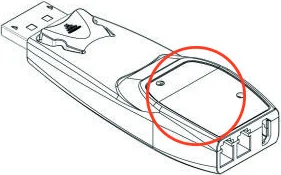
- The Power LED will be turned on when FX-D250 is connected to DisplayPort interface of signal source and display and the Status LED will blink three (3) times. Then the Status LED will blink again when the whole connection is made.
- Connect two (2) LC optical fibers between the transmitter and the receiver and each fiber channel shall be connected as (A) to (A) and (B) to (B) carefully. Ensure the duplex connectors are fully engaged and then, the top LED will begin to blink regularly. Note1: Please DO NOT look directly into the LC receptacles of the Transmitter, while it is powered on, although this product is regulated strictly enough to operate under the LASER Class I, classified by CDRH/FDA for eye safety. Note2: The maximum extension length by OM3 fiber is 100 meters. Note3: Be recommended NOT to use any intermediate cable or adapter between them to avoid undesirable performance degradation. Fig Figure 4 – Connection of optical fiber
- Connect the transmitter to the DisplayPort source
- Connect the receiver to the DisplayPort source. Note: If the connectors are fully engaged, the bottom LED will turn on.
- If the system does not work properly, go to the page 1-6 trouble shooting.
Troubleshooting, Maintenance
Troubleshooting
- The display shows only black screen.
- Ensure that all plugs and jacks used by USB power supplies are firmly connected. Ensure that the LED is ON.
- Ensure that the DisplayPort is firmly plugged in to the DisplayPort source and display.
- Ensure that the transmitter and receiver modules plugged correctly to the source and display, respectively.
- Check if the DisplayPort source and display are powered on and properly booted.
- Reset the system by de-plugging and re-plugging the transmitter DisplayPort or receiver DisplayPort, or by de-plugging and re-plugging the USB power cables that are plugged of the transmitter and receiver module
- Re-boot up the system while connecting the module.
- Screen is distorted or displays noises.
- Check if the graphic resolution is properly set. Go to the display properties and tap the settings. Ensure that the resolution sets less than WQUXGA (3840x2400) at 60Hz refresh ratio.
- Reset the system
- Power down, disconnect and reconnect the optical system cable or USB power adaptors, and power up
Maintenance
No special maintenance is required for the optical system cables and power supplies. Ensure that the cables and power modules are stored or used in a benign environment free from liquid or dirt contamination.
There are no user serviceable parts.
Product Specifications
| Compliance with DisplayPort standard | supports DP 1.2a |
|---|---|
| Extension limit | 100m (328feet) for 4K (4096x2160) at 60 Hz refresh rate over two (2) LC OM3 fibers (50/125um). |
| Graphic Transmission Bandwidth | Supports total data rate 21.6Gbps (5.4Gbps per lane). |
| Supports Dual-mode DP (DP++) | |
| Supports auxiliary /l²C channel over fiber | |
| Mechanical specifications of transmitter and receiver | Dimensions(WDH): 26mm x 72mm x 15mm |
| Environmental Specifications | Operating temperature: 0°C to 50°C Storage temperature: -30°C to 70°C Humidity: 10% to 85% |
| AC/DC Power Adapter | Power Input: AC 100-240V, 50/60Hz. Power Output: +5 V, 1A SMPS DC-power Adapter |
Certifications
Dispose of Old Electrical & Electronic Equipment
(Applicable in the European Union and other European countries with separate systems)
This symbol on the product or on its packaging indicates that this product shall not be treated as household waste. Instead it shall be handed over to the applicable collection point for the recycling of electrical and electronic equipment. By ensuring this product is disposed of correctly, you will help prevent potential negative consequences for the environment and human health, which could otherwise be caused by inappropriate waste handling of this product. The recycling of materials will help to conserve natural resources. For more detailed information about recycling of this product, please contact your local city office, your household waste disposal service or the shop where you purchased the product.
CE / FCC, Class 1 Laser Eye Safety
Certification of Eye Safety
This laser product is inside implemented by using 825, 850, 930, 950, 980nm LD Transceivers, manufactured by Opticis Co., Ltd., which are all certified by CDRH/FDA referred as classified in Laser Class 1 (IEC60825-1).
Caution – Use of controls or adjustments or performances of procedures other than those specified herein may result in hazardous radiation exposure.
Legal & Compliance
Product identification
Model: FX-D250 – manual version 1.0
Warranty and liability
The manufacturer grants the full statutory warranty on all new devices. As the manufacturer has no influence on installation, the warranty only applies to the product itself. If you detect a fault or damage, please contact your dealer and provide your sales slip or invoice as proof of purchase.
The manufacturer is not liable for damage to persons or property caused by improper installation, operation or maintenance not described in this manual. Do not alter or modify the product or its accessories. Any use other than described in this manual is not permitted and voids warranty and guarantee.
Trademarks and disclaimer
Product model and logo are trademarks. All other company and product names mentioned are trademarks of their respective owners. All rights reserved. No part of this publication may be copied or reproduced without prior written permission. We reserve the right to make changes to the device, packaging or manual and accept no liability for misprints.
WEEE reg. no.: DE 93847290
Packaging
Dispose of packaging separately by material (paper/cardboard, plastics) via the local collection systems. Keep packaging material away from children – risk of suffocation. Packaging register LUCID: DE5958616449295.