
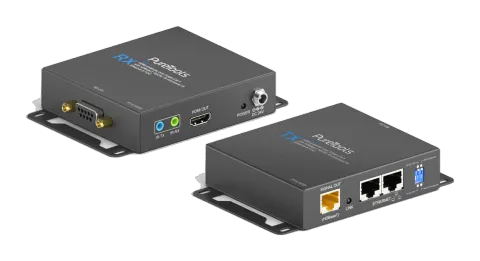
PT-E-HD50
PureTools - HDMI Single CatX HDBaseT Extender Set
PureTools - HDMI Single CatX HDBaseT Extender Set.
ManualFAQAlternative availableCEFAQ
What are the package contents included with the PT-E-HD50 HDMI Extender?+–
Before you start the installation of the switch, please check the package contents. PT-E-HD50 [TX & RX] x1 IR blaster x1 IR receiver x1 DC 24V x2 User’s Guide x1
More:Package Contents →
How do you connect and install the PT-E-HD50 HDMI Extender units?+–
Connect a HDMI or DVI source (such as a Blu-ray Disc player) to the transmitting unit PT-E-HD50-TX. Connect a HDMI or DVI display (such as a LCD TV) to the receiving unit PT-E-HD50-RX. Connect IR Blaster/Receiver to both TX and RX units. Connect USB cable to PC/Laptop Connect a Cat-5/5e/6 cable between the transmitting and receiving units. Make sure this Cat-5/5e/6 cable is tightly connected and not loose. Plug in 24V DC power supply unit to the power jack of the transmitting unit PT-E-HD50-TX.
More:Installation →
What is the function of the IR blaster and IR receiver in the PT-E-HD50?+–
IR BLASTER: plug in the IR blaster to emit all IR command signals received from the IR receiver from the other end to control the devices corresponding to the IR signals. IR RECEIVER: plug in the IR receiver to receive all IR command signals from the IR remote controls of the corresponding devices. Incorrect placement of IR Blaster and Receiver may result in the failure of the IR extenders. Please check carefully before plugging in the IR extender to the respective IR sockets. Warranty will not cover the damage.
More:IR Pass-through →