
X-PS121
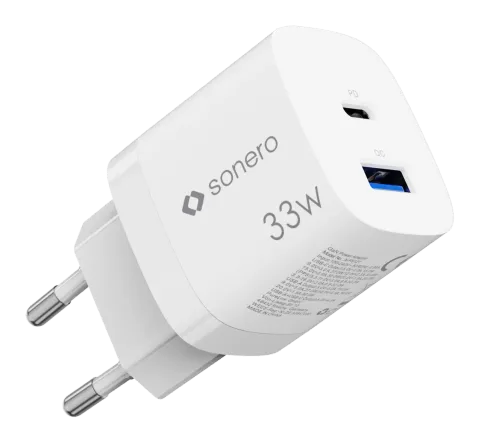
USB-C & USB-A GaN Charger - 2 Port - 33W PD - white
The USB-C & USB-A GaN Charger - 2 Port - 33W PD - white is a compact charger that features one USB-C and one USB-A output and delivers up to 33W Power Delivery. It includes automatic charging current detection to …
ManualFAQSpecificationsDatasheetCE declaration ↗FAQ
How do I connect and operate the USB-C charger?+–
Connect your mobile device to the charger with a compatible USB cable. Plug the USB charger into an 100-240V~ 50/60 Hz socket.
What devices can be charged using this USB-C charger?+–
This product serves as a charger for charging mobile devices such as Smartphones, Laptops & Tablets. The device allows you to operate or charge (mobile) device(s) simultaneously at two ports (USB-A & USB-C™), e.g. Apple MacBook Air, iPad Pro, iPhone, Samsung Galaxy S series, Google Pixel and more.
More:Designated use →
What is the input voltage and power specifications of this charger?+–
Input: 100-240V~ 50/60 Hz, 0.6A; USB-A: 5V⎓3A, 9V⎓2A, 12V⎓1.5A; USB-C: 5V⎓3A, 9V⎓2.22A, 12V⎓1.67A, 15V⎓2A, 20V⎓1.5A; Total Power: max. 30 W
More:SPECIFICATION →
What safety precautions should I take regarding environment and usage of the device?+–
Do not expose the device to ambient temperatures below 0°C / 32°F or above 35°C / 95°F, do not store in direct sunlight. The device may be damaged or destroyed.
What should be done to maintain safety regarding electric shock risk?+–
Do not open, modify, use or repair the device if defective, if malfunctioning, maintenance must be carried out by qualified persons. Only operate devices with the very voltage or voltage range indicated on product. Do not operate with wet hands, do not expose to humid, moist or damp environments. Do not use if the device or any supply cord/plug shows major or apparent damages. Risk of fire or short-circuit. Keep out of reach of children.