
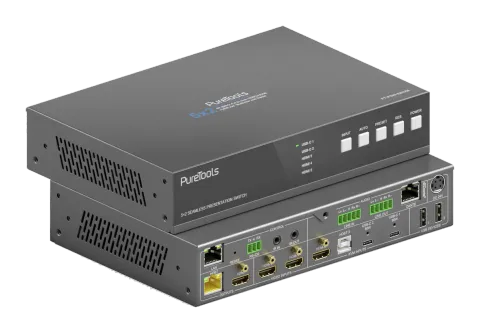
Aktiv
PT-PSW-52KVM-TX
18Gbps USB-C Collaboration Transmitter mit Dante und Multi-View
Der PT-PSW-52KVM-TX ist ein Multiformat-AV-Switcher, der nahtloses Umschalten zwischen zwei HDMI-Quellen, einer HDMI plus USB-B und zwei USB-C DP Alt-Mode Ports mit 60W Power Delivery ermöglicht und dabei Video, Daten …
HandbuchSteuerbefehle (TCP/IP)FAQSpezifikationenDatenblattFirmwareCE-Erklärung ↗Verfügbare Steuerschnittstellen. Klappen Sie einen aktiven Typ auf, um die vollständige Befehlstabelle zu sehen.
Keine passenden Befehle.
RS232-Befehle61 BefehleAktiv
Quelle: Handbuch, Kapitel RS-232 Control Command, Seite 31
| Befehl | Beschreibung | Beispiel | Antwort | |
|---|---|---|---|---|
| help | Ruft die Liste aller Befehle ab | help | =================== Help Info MCU 1.1.0 Web 1.1.0 Scaler 20230228-10 FPGA 1.1.0 RX 1.18.02 help Get the list of all commands | |
| r type | Gerätemodell abrufen | r type | PT-PSW-52KVM | |
| r status | Aktuellen Gerätezustand abrufen | r status | Please refer to the note at the end of the list. | |
| r fw version | Firmware-Version abfragen | r fw version | MCU 1.1.0 Web 1.1.0 Scaler 20230228-10 FPGA 1.1.0 RX 1.18.02 | |
| s power on | Gerät einschalten | s power on | Power on System Initializing... Initialization Finished! MCU 1.1.0 Web 1.1.0 Scaler 20230228-10 FPGA 1.1.0 RX 1.18.02 | |
| s power off | Gerät ausschalten | s power off | Power off | |
| r power | Aktuellen Betriebszustand abrufen | r power | power on /power off | |
| s reboot | Gerät neustarten | s reboot | Reboot… System Initializing... Initialization Finished! MCU 1.1.0 Web 1.1.0 Scaler 20230228-10 FPGA 1.1.0 RX 1.18.02 | |
| s reset | Auf Werkseinstellungen zurücksetzen | s reset | Reset to factory defaults System Initializing... Initialization Finished! MCU 1.1.0 Web 1.1.0 Scaler 20230228-10 FPGA 1.1.0 RX 1.18.02 | |
| s front button x | Fronttasten sperren an/aus einstellen (x=0~1) 0. Entsperrt 1. Gesperrt | s front button 0 | Front button: Unlocked | |
| r front button | Status der Fronttasten-Sperre (Ein/Aus) abrufen | r front button | Front button: Unlocked | |
| s beep x | Summer ein-/ausschalten (x=0~1) 0. Aus 1. Ein | s beep 1 | Beep: On | |
| r beep | Status Ein/Aus Summer abrufen | r beep | Beep: Off | |
| s ir x | IR ein/aus schalten (x=0~1) 0. Aus 1. Ein | s ir 1 | IR: On | |
| r ir | IR Ein-/Aus-Status abfragen | r ir | IR: Off | |
| s UsbcAccessNetwork x | Setze USB-C Netzwerkzugangs-Funktion ein/aus (x=0~1) 0. Aus 1. Ein | s UsbcAccessNetwork 1 | USB-C Access Network: On | |
| r UsbcAccessNetwork | USB-C Netzwerklizenzfunktion Ein/Aus abrufen | r UsbcAccessNetwork | USB-C Access Network: On | |
| s fan speed x | Lüftergeschwindigkeit einstellen (x=0~4) 0. Auto 1. 25% 2. 50% 3. 75% 4. 100% | s fan speed 0 | Fan Speed: Auto | |
| r fan speed | Lüftergeschwindigkeit abrufen | r fan speed | Fan Speed: Auto | |
| r temp | Interne Temperatur des Geräts abrufen | r temp | Temp: 65C | |
| r input x EDID | EDID-Modus des Eingangs abrufen (x=0~5) x=0: alle Eingänge x=1: USB-C 1 x=2: USB-C 2 x=3: HDMI 3 x=4: HDMI 4 x=5: HDMI 5 | r input 0 EDID | Input USB-C 1 EDID: Auto Input USB-C 2 EDID: Auto Input HDMI 3 EDID: Auto Input HDMI 4 EDID: Auto Input HDMI 5 EDID: Auto | |
| r input x EdidData | EDID-Daten des Eingangs abrufen (x=0~5) x=0: alle Eingänge x=1: USB-C 1 x=2: USB-C 2 x=3: HDMI 3 x=4: HDMI 4 x=5: HDMI 5 | r input 0 EdidData | Input USB-C 1 EDID Data: Input USB-C 2 EDID Data: Input HDMI 3 EDID Data: Input HDMI 4 EDID Data: Input HDMI 5 EDID Data: | |
| s input x EDID y | EDID des Eingangs einstellen (x=0~5) (y=1~16) x=0: alle Eingänge x=1: USB-C 1 x=2: USB-C 2 x=3: HDMI 3 x=4: HDMI 4 x=5: HDMI 5 y=1: Auto (HDBT oder HDMI oder HDBT+HDMI) y=2: Kopiere HDMI OUT y=3: Kopiere HDBT OUT y=4: 4K2K60_444, Stereo Audio 2.0 y=5: 4K2K30_444, Stereo Audio 2.0 y=6: 1080P, Stereo Audio 2.0 y=7: 720p, Stereo Audio 2.0 y=8: 1920x1200, Stereo Audio 2.0 y=9: 1680x1050, Stereo Audio 2.0 y=10: 1600x1200, Stereo Audio 2.0 y=11: 1440x900, Stereo Audio 2.0 y=12: 1360x768, Stereo Audio 2.0 y=13: 1280x1024, Stereo Audio 2.0 y=14: 1024x768, Stereo Audio 2.0 y=15: Benutzerdefiniert 1 y=16: Benutzerdefiniert 2 | s input 0 EDID 1 | Input USB-C 1 EDID: Auto Input USB-C 2 EDID: Auto Input HDMI 3 EDID: Auto Input HDMI 4 EDID: Auto Input HDMI 5 EDID: Auto | |
| s output res x | Ausgabeauflösung einstellen (x=1~15) x=1: Auto x=2: 3840x2160p60 x=3: 3840x2160p50 x=4: 4096x2160p60 x=5: 4096x2160p50 x=6: 3840x2160p30 x=7: 3840x2160p25 x=8: 1920x1200p60RB x=9: 1920x1080p60 x=10: 1920x1080p50 x=11: 1360x768p60 x=12: 1280x800p60 x=13: 1280x720p60 x=14: 1280x720p50 x=15: 1024x768p60 | s output res 1 | Out Resolution: Auto | |
| r output res | Ausgabeauflösung abrufen | r output res | Out Resolution: Auto | |
| s output x hdcp y | Ausgang (x=0~2) HDCP einstellen (y=1~3) x=0: alle Ausgänge (HDMI/HDBT) x=1: HDMI-Ausgang x=2: HDBT-Ausgang y=1: Auto y=2: HDCP 1.4 y=3: HDCP 2.2 | s output 0 hdcp 1 | Output HDMI HDCP: Auto Output HDBT HDCP: Auto | |
| r output x hdcp | HDCP-Status der Ausgabe abrufen (x=0~2) x=0: alle Ausgänge (HDMI/HDBT) x=1: HDMI-Ausgang x=2: HDBT-Ausgang | r output 0 hdcp | Output All HDCP: Auto | |
| s output avmute x | Ausgabe AV-Stummschaltung ein/aus setzen (x=0~1) x=0: Aus x=1: An | s output avmute 1 | Output AV Mute: On | |
| r output avmute | AV-Stummschaltstatus der Ausgabe Ein/Aus abrufen | r output avmute | Output AV Mute: On | |
| s output freeze x | Ausgabe-Einfrieren ein/aus setzen (x=0~1) x=0: Aus x=1: An | s output freeze 1 | Output Freeze: On | |
| r output freeze | Freeze-Status der Ausgabe Ein/Aus abrufen | r output freeze | Output Freeze: On | |
| s output itc x | Ausgabe-Video-Modus setzen (x=1~2) x=1: Videomodus x=2: PC-Modus | s output itc 1 | Output ITC: Video Mode | |
| r output itc | Videomodus der Ausgabe abrufen | r output itc | Output ITC: Video Mode | |
| s main in audio x | Haupt-Eingang (HDMI/USB-C Eingang) Audioquelle einstellen (x=1~6) x=1: Fenster 1 x=2: USB-C 1 x=3: USB-C 2 x=4: HDMI 3 x=5: HDMI 4 x=6: HDMI 5 | s main in audio 1 | Main In Audio: Window 1 | |
| r main in audio | Haupt-Eingang (HDMI/USB-C Eing.) Audioquelle abfragen | r main in audio | Main In Audio: Window 1 | |
| s output x audio y | Ausgang (x=0~3) Audioquelle von (y=1~3) einstellen x=0: alle Ausgänge (HDMI/HDBT, Line, Dante) x=1: Haupt-Eingang (HDMI/USB-C In) x=2: Line-Eingang x=3: Dante-Eingang | s output 0 audio 1 | Output HDMI/HDBT Audio: Main In (HDMI/USB-C In) Output Line Audio: Main In (HDMI/USB-C In) Output Dante Audio: Main In (HDMI/USB-C In) | |
| r output x audio | Audioquelle des Ausgangs (x=0~3) abfragen x=0: alle Ausgänge (HDMI/HDBT, Line, Dante) x=1: HDMI/HDBT Ausgang x=2: Line Ausgang x=3: Dante Ausgang | r output 1 audio | Output HDMI/HDBT Audio: Main In (HDMI/USB-C In) | |
| s input x audio vol+ | Audiolautstärke des Eingangs (x=0~3) erhöhen x=0: alle Eingänge (HDMI/USB-C, Line, Dante) x=1: Haupt-Eingang (HDMI/USB-C-Eingang) x=2: Line-Eingang x=3: Dante-Eingang | s input 1 audio vol+ | Input Main In (HDMI/USB-C In) Audio Volume: 50 | |
| s input x audio vol- | Verringern Sie die Audio-Lautstärke des Inputs (x=0~3) x=0: alle Inputs (HDMI/USB-C, Line, Dante) x=1: Haupt-Input (HDMI/USB-C Input) x=2: Line Input x=3: Dante Input | s input 1 audio vol- | Input Main In (HDMI/USB-C In) Audio Volume: 50 | |
| s input x audio vol y | Lautstärkewert des Eingangs (x=0~3) einstellen (y=0~100) x=0: alle Eingänge (HDMI/USB-C, Line, Dante) x=1: Haupt-Eingang (HDMI/USB-C Eingang) x=2: Line-Eingang x=3: Dante-Eingang | s input 1 audio vol 50 | Input Main In (HDMI/USB-C In) Audio Volume: 50 | |
| r input x audio vol | Audio-Lautstärkewert des Eingangs (x=0~3) abrufen x=0: alle Eingänge (HDMI/USB-C, Line, Dante) x=1: Haupt-Eingang (HDMI/USB-C In) x=2: Line In x=3: Dante In | r input 1 audio vol | Input Main(HDMI/USB-C In) Audio Volume: | |
| s input x audio mute y | Audio-Stummschaltung des Eingangs (x=0~3) an/aus einstellen (y=0~1) x=0: alle Eingänge (HDMI/USB-C, Line, Dante) x=1: Haupt-Eingang (HDMI/USB-C Eingang) x=2: Line-Eingang x=3: Dante-Eingang y=0: Stummschaltung aus y=1: Stummschaltung an | s input 0 audio mute 1 | Input Main(HDMI/USB-C In) Audio Mute: On Input Line Audio Mute: On Input Dante Audio Mute: On | |
| r input x audio mute | Audio-Stummschaltung des Eingangs (x=0~3) abrufen x=0: alle Eingänge (HDMI/USB-C, Line, Dante) x=1: Haupt-Eingang (HDMI/USB-C In) x=2: Line In x=3: Dante In | r input 0 audio mute | Input Main (HDMI/USB-C In) Audio Mute: On Input Line Audio Mute: On Input Dante Audio Mute: On | |
| s master member x y z | Mitglied des Master-Ausgangs (x/y/z=0~1) einstellen x=0: HDMI/HDBT Ausgang ausschließen x=1: HDMI/HDBT Ausgang einschließen y=0: Line-Ausgang ausschließen y=1: Line-Ausgang einschließen z=0: Dante Ausgang ausschließen z=1: Dante Ausgang einschließen | s master member 1 1 1 | Master Member: 111 | |
| r master member | Master-Ausgangsmitglied abfragen | r master member | Master Member: 111 | |
| s master audio vol+ | Gesamtausgangslautstärke erhöhen | s master audio vol+ | Master Audio Volume: 50 | |
| s master audio vol- | Verringern Sie die Master-Output-Audiolautstärke. | s master audio vol- | Master Audio Volume: 50 | |
| s master audio vol x | Master-Ausgang Lautstärkewert einstellen (x=0~100) | s master audio vol 50 | Master Audio Volume: 50 | |
| r master audio vol | Lautstärkewert Master-Ausgang Audio abfragen | r master audio vol | Master Audio Volume: 50 | |
| s master audio mute x | Master-Ausgang Audio-Stummschaltung an/aus einstellen (x=0~1) x=0: Stummschaltung aus x=1: Stummschaltung an | s master audio mute 1 | Master Audio Mute: On | |
| r master audio mute | Stummschaltung Master-Ausgang Audio an/aus abfragen | r master audio mute | Master Audio Mute: On | |
| s output x audio vol+ | Erhöhe die Audio-Lautstärke des Outputs (x=0~3) x=0: alle Outputs (HDMI/HDBT, Line, Dante) x=1: HDMI/HDBT Out x=2: Line Out x=3: Dante Out | s output 1 audio vol+ | Output HDMI/HDBT Audio Volume: 50 | |
| s output x audio vol- | Verringern Sie die Audio-Lautstärke des Outputs (x=0~3) x=0: alle Outputs (HDMI/HDBT, Line, Dante) x=1: HDMI/HDBT Output x=2: Line Output x=3: Dante Output | s output 1 audio vol+ | Output HDMI/HDBT Audio Volume: 50 | |
| s output x audio vol y | Ausgang (x=0~3) Audio-Lautstärkewert einstellen (y=0~100) x=0: alle Ausgänge (HDMI/HDBT, Line, Dante) x=1: HDMI/HDBT-Ausgang x=2: Line-Ausgang x=3: Dante-Ausgang | s output 1 audio vol 50 | Output HDMI/HDBT Audio Volume: 50 | |
| r output x audio vol | Audio-Lautstärkewert des Ausgangs (x=0~3) abfragen x=0: alle Ausgänge (HDMI/HDBT, Line, Dante) x=1: HDMI/HDBT Ausgang x=2: Line Ausgang x=3: Dante Ausgang | r output 1 audio vol | Output HDMI/HDBT Audio Volume: 50 | |
| s output x audio mute y | Ausgang (x=0~3) Audio-Stummschaltung Ein/Aus (y=0~1) einstellen x=0: alle Ausgänge (HDMI/HDBT, Line, Dante) x=1: HDMI/HDBT-Ausgang x=2: Line-Ausgang x=3: Dante-Ausgang y=0: Stummschaltung aus y=1: Stummschaltung an | s output 0 audio mute 1 | Output HDMI/HDBT Audio Mute: On Output Line Audio Mute: On Output Dante Audio Mute: On | |
| r output x audio mute | Audio-Stummschaltung Ein/Aus des Ausgangs (x=0~3) abfragen x=0: alle Ausgänge (HDMI/HDBT, Line, Dante) x=1: HDMI/HDBT Ausgang x=2: Line Ausgang x=3: Dante Ausgang | r output 0 audio mute | Output HDMI/HDBT Audio Mute: On Output Line Audio Mute: On Output Dante Audio Mute: On | |
| s output x audio mix y | Ausgang (x=0~3) Audio-Mix (y=1~4) einstellen x=0: alle Ausgänge (HDMI/HDBT, Line, Dante) x=1: HDMI/HDBT-Ausgang x=2: Line-Ausgang x=3: Dante-Ausgang y=1: Stereo y=2: Links y=3: Rechts y=4: Links und Rechts | s output 0 audio mix 1 | Output HDMI/HDBT Audio Mix: Stereo Output Line Audio Mix: Stereo Output Dante Audio Mix: Stereo | |
| r output x audio mix | Audio-Mischmodus des Ausgangs (x=0~3) abfragen x=0: alle Ausgänge (HDMI/HDBT, Line, Dante) x=1: HDMI/HDBT Ausgang x=2: Line Ausgang x=3: Dante Ausgang | r output 0 audio mix | Output HDMI/HDBT Audio Mix: Stereo Output Line Audio Mix: Stereo Output Dante Audio Mix: Stereo | |
| s output x audio delay y | Ausgang (x=0~3) Audio-Verzögerung (y=0~50) einstellen x=0: alle Ausgänge (HDMI/HDBT, Line, Dante) x=1: HDMI/HDBT-Ausgang x=2: Line-Ausgang x=3: Dante-Ausgang y=[0~50]: Verzögerungszeit, Millisekunden | s output 0 audio delay 50 | Output HDMI/HDBT Audio Delay: 50ms Output Line Audio Delay: 50ms Output Dante Audio Delay: 50ms | |
| r output x audio delay | Audio-Verzögerungswert des Ausgangs (x=0~3) abfragen x=0: alle Ausgänge (HDMI/HDBT, Line, Dante) x=1: HDMI/HDBT Ausgang x=2: Line Ausgang x=3: Dante Ausgang | r output 0 audio delay | Output HDMI/HDBT Audio Delay: 50ms Output Line Audio Delay: 50ms Output Dante Audio Delay: 50ms |
RS232-Befehle69 BefehleAktiv
VerbindungÜbertragungsrate: 115200/57600/56000/38400/19200/9600/4800/2400 Datenbits: 7/8 Parität: n (Keine) /o (Ungerade) /e (Gerade) Stoppbits: 1/2↓ CSV
Quelle: Handbuch, Kapitel RS-232 Control Command, Seite 39
| Befehl | Beschreibung | Beispiel | Antwort | |
|---|---|---|---|---|
| r output x audio delay | Audio-Verzögerungswert des Ausgangs (x=0~3) abfragen | x=0: alle Ausgänge (HDMI/HDBT, Line, Dante) x=1: HDMI/HDBT Ausgang x=2: Line Ausgang x=3: Dante Ausgang | Output HDMI/HDBT Audio Delay: 50ms Output Line Audio Delay: 50ms Output Dante Audio Delay: 50ms | ||
| s output x audio eq y val z | Ausgang (x=0~3) Audio GEQ Index (y=1~31) auf Wert (z=0~20) einstellen | x=0: alle Ausgänge (HDMI/HDBT, Line, Dante) x=1: HDMI/HDBT-Ausgang x=2: Line-Ausgang x=3: Dante-Ausgang y=[1~31]: EQ-Index z=[0~20]: EQ-Wert | s output 0 audio eq 1 val 20 | Output HDMI/HDBT Audio EQ Index 1 to Value 20 Output Line Audio EQ Index 1 to Value 20 Output Dante Audio EQ Index 1 to Value 20 Output Dante Audio EQ Preset is Flat Mode | |
| r output x audio eq y val | Audio-GEQ Index (y=1~31) Wert des Ausgangs (x=0~3) abfragen | x=0: alle Ausgänge (HDMI/HDBT, Line, Dante) x=1: HDMI/HDBT Ausgang x=2: Line Ausgang x=3: Dante Ausgang y=[1~31]: EQ-Index | r output 0 audio eq 1 val | Output HDMI/HDBT Audio EQ Index 1 to Value 20 Output Line Audio EQ Index 1 to Value 20 Output Dante Audio EQ Index 1 to Value 20 | |
| s output x audio eq preset y | Ausgang (x=0~3) Audio GEQ auf Preset (y=1~6) einstellen | x=0: alle Ausgänge (HDMI/HDBT, Line, Dante) x=1: HDMI/HDBT-Ausgang x=2: Line-Ausgang x=3: Dante-Ausgang y=1: Flat y=2: Custom1 y=3: Custom2 y=4: Custom3 y=5: Custom4 y=6: Custom5 | s output 0 audio eq preset 1 | Output HDMI/HDBT Audio EQ Preset 1 Output Line Audio EQ Preset 1 Output Dante Audio EQ Preset 1 | |
| r output x audio eq preset | Audio-GEQ Preset des Ausgangs (x=0~3) abfragen | x=0: alle Ausgänge (HDMI/HDBT, Line, Dante) x=1: HDMI/HDBT Ausgang x=2: Line Ausgang x=3: Dante Ausgang | r output 0 audio eq preset | Output HDMI/HDBT Audio EQ Preset 1 Output Line Audio EQ Preset 1 Output Dante Audio EQ Preset 1 | |
| s output x audio eq reset | Ausgang (x=0~3) Audio GEQ zurücksetzen | x=0: alle Ausgänge (HDMI/HDBT, Line, Dante) x=1: HDMI/HDBT-Ausgang x=2: Line-Ausgang x=3: Dante-Ausgang | s output 0 audio eq reset | Output HDMI/HDBT Audio EQ Reset Output Line Audio EQ Reset Output Dante Audio EQ Reset | |
| s auto switch x | Auto-Switch-Funktion aktivieren/deaktivieren (x=0~1) | x=0: Auto-Switch deaktivieren x=1: Auto-Switch aktivieren | s auto switch 0 | Auto Switch: Off | |
| r auto switch | Automatische Umschaltfunktion abrufen | r auto switch | Auto Switch: Off | |
| s input source x | Videoquelle auf Output (x=1~5) routen | x=1: USB-C 1 x=2: USB-C 2 x=3: HDMI 3 x=4: HDMI 4 x=5: HDMI 5 | s input source 1 | Input Source: USB-C 1 | |
| r input source | Ausgewählte Eingangquelle der Ausgabe abrufen | r input source | Input Source: USB-C 1 | |
| s fallback input x | Fallback-Eingangsquelle festlegen (x=0~5) | x=0: Nächster Eingang x=1: USB-C 1 x=2: USB-C 2 x=3: HDMI 3 x=4: HDMI 4 x=5: HDMI 5 | s fallback input 0 | Fallback Input: Next Input | |
| r fallback input | Fallback-Eingangsquelle abrufen | r fallback input | Fallback Input: Next Input | |
| s multiview x | Multiview-Anzeigemodus einstellen (x=1~5) | x=1: Einzel x=2: PIP x=3: PBP x=4: Dreifach x=5: Vierfach | s multiview 1 | Multiview: Single | |
| r multiview | Multiview Anzeigemodus abfragen | r multiview | Multiview: Single | |
| s window x in y | Fenster (x=0~4) Quelle einstellen von (y=1~5) | x=0: Alle Fenster x=1: Fenster 1 x=2: Fenster 2 x=3: Fenster 3 x=4: Fenster 4 y=1: USB-C 1 y=2: USB-C 2 y=3: HDMI 3 y=4: HDMI 4 y=5: HDMI 5 | s window 1 in 1 | Window 1 in USB-C 1 | |
| r window x in | Fensterquelle (x=0~4) abrufen | x=0: Alle Fenster x=1: Fenster 1 x=2: Fenster 2 x=3: Fenster 3 x=4: Fenster 4 | r window 0 in | Window 1 in USB-C 1 Window 2 in USB-C 2 Window 3 in HDMI 3 Window 4 in HDMI 4 | |
| s PIP position x | PIP-Fensterposition einstellen (x=1~4) | x=1: Oben Links x=2: Unten Links x=3: Oben Rechts x=4: Unten Rechts | s PIP position 4 | PIP Position: Right Bottom | |
| r PIP position | PIP-Fensterposition abrufen | r PIP position | PIP Position: Right Bottom | |
| s PIP size x | PIP-Fenstergröße abrufen (x=1~3) | x=1: Klein x=2: Mittel x=3: Groß | s PIP size 3 | PIP Size: Large | |
| r PIP size | PIP-Fenstergröße abrufen | r PIP size | PIP Size: Large | |
| s PBP mode x | Anzeige-Modus der PBP-Fenster einstellen (x=1~2) | x=1: PBP Modus 1 x=2: PBP Modus 2 | s PBP mode 1 | PBP Mode: Mode 1 | |
| r PBP mode | PBP-Fenstermodus abrufen | r PBP mode | PBP Mode: Mode 1 | |
| s PBP aspect x | Seitenverhältnis der PBP-Fensteranzeige einstellen (x=1~2) | x=1: Vollbild x=2: 16:9 | s PBP aspect 1 | s PBP aspect 1 | |
| r PBP aspect | Bildseitenverhältnis der PBP-Fensteranzeige abfragen | r PBP aspect | PBP Aspect: Full Screen | |
| s triple mode x | Anzeigemodus der Dreifach-Fenster einstellen (x=1~2) | x=1: Dreifach-Modus 1 x=2: Dreifach-Modus 2 | s triple mode 1 | Triple Mode: Mode 1 | |
| r triple mode | Ruft den Anzeigemodus der Dreifachfenster ab | r triple mode | Triple Mode: Mode 1 | |
| s triple aspect x | Seitenverhältnis der Dreifach-Fensteranzeige einstellen (x=1~2) | x=1: Vollbild x=2: 16:9 | s triple aspect 1 | Triple Aspect: Full Screen | |
| r triple aspect | Ruft das Seitenverhältnis der Dreifachfensteranzeige ab | r triple aspect | Triple Aspect: Full Screen | |
| s quad mode x | Anzeige-Modus der Quad-Fenster setzen (x=1~2) | x=1: Quad-Modus 1 x=2: Quad-Modus 2 | s quad mode 1 | Quad Mode: Mode 1 | |
| r quad mode | Anzeigemodus der vier Fenster abrufen | r quad mode | Quad Mode: Mode 1 | |
| s quad aspect x | Seitenverhältnis der Quad-Fensteranzeige setzen (x=1~2) | x=1: Vollbild x=2: 16:9 | s quad aspect 1 | Quad Aspect: Full Screen | |
| r quad aspect | Anzeige-Seitenverhältnis der vier Fenster abrufen | r quad aspect | Quad Aspect: Full Screen | |
| s window x border y | Stellen Sie den Randmodus (y=0~9) des angegebenen Fensters (x=0~4) ein | x=0: Alle x=1: Fenster 1 x=2: Fenster 2 x=3: Fenster 3 x=4: Fenster 4 y=0: Aus y=1: Schwarz y=2: Rot y=3: Grün y=4: Blau y=5: Gelb y=6: Magenta y=7: Cyan y=8: Weiß y=9: Grau | s window 0 border 0 | Window 1 Border: Off Window 2 Border: Yellow Window 3 Border: Off Window 4 Border: Cyan | |
| r window x border | Abrufen des Randmodus des angegebenen Fensters (x=0~4) | x=0: Alle x=1: Fenster 1 x=2: Fenster 2 x=3: Fenster 3 x=4: Fenster 4 | r window 0 border | Window 1 Border: Off Window 2 Border: Yellow Window 3 Border: Off Window 4 Border: Cyan | |
| s rx input x | Setze RX Input Quelle (x=1~2) | x=1: HDBT IN x=2: HDMI IN | s rx input 1 | RX Input: HDBT Error,RX not ready! | |
| r rx input | RX Eingangssignalquelle abrufen | r rx input | RX Input: HDBT | |
| r rx hdmi5v | RX HDMI Eingangs-5V-Strom abrufen | r rx hdmi5v | RX HDMI 5V: 1 | |
| r rx host5v | RX USB Host 5V-Strom abrufen | r rx host5v | RX Host 5V: 1 | |
| s rx auto switch mode x | Setze RX Auto Switch Erkennungsmodus (x=1~2) | x=1: TMDS x=2: 5V | s rx auto switch mode 1 | RX Auto Switch Mode: TMDS | |
| r rx auto switch mode | RX Auto Switch Erkennungsmodus abrufen | r rx auto switch mode | RX Auto Switch Mode: TMDS | |
| s rx auto switch x | Setze RX Auto Switch ein/aus (x=0~1) | x=0: Aus x=1: Ein | s rx auto switch 1 | RX Auto Switch: On | |
| r rx auto switch | RX Auto Switch Ein/Aus abrufen | r rx auto switch | RX Auto Switch: On | |
| s cec power on | CEC-Einschaltbefehl setzen | s cec power on | CEC Power On | |
| s cec power off | CEC-Energiesparbefehl setzen | s cec power off | CEC Power Off | |
| s auto power feature x | Display Auto-Power-Funktion ein-/ausschalten (x=0~1) | x=0: Aus x=1: Ein | s auto power feature 1 | Auto Power Feature: On | |
| r auto power feature | Status der automatischen Display-Ein/Aus-Funktion abrufen | r auto power feature | Auto Power Feature: On | |
| s auto power off timer x | Befehl zum automatischen Ausschalten (CEC/RS232) wird nach x (x=1~6) gesendet | x=1: 5 Sek. x=2: 10 Sek. x=3: 30 Sek. x=4: 1 Min. x=5: 5 Min. x=6: 10 Min. | s auto power off timer 4 | Auto Power Off Timer: 1 min | |
| r auto power off timer | Timer für automatisches Ausschalten abrufen | r auto power off timer | Auto Power Off Timer: 1 min | |
| s auto power control x | Steuerung der Auto-Einschaltfunktion über (x=1~3) festlegen | x=1: CEC x=2: RS232 x=3: CEC und RS232 | s auto power control 1 | Auto Power Control: CEC | |
| r auto power control | Steuerungstyp der automatischen Energiefunktion abrufen | r auto power control | Auto Power Control: CEC | |
| s UsbSwitchMode x | Setze USB Schaltmodus (x=1~3) | x=1: Automatikmodus (erkennt USB 5V und schaltet dann) x=2: Manueller Modus x=3: Video folgen (HDMI 3 gebunden mit USB Host 3) | s UsbSwitchMode 1 | UsbSwitchMode: Auto mode | |
| r UsbSwitchMode | USB Schaltemodus abrufen | r UsbSwitchMode | UsbSwitchMode: Auto mode | |
| s UsbManual x | Setze USB manuellen Schalter (x=1~3) | x=1: USB-C 1 x=2: USB-C 2 x=3: USB Host 3 | s UsbManual 3 | UsbManual: USB Host 3 | |
| r UsbSwitchStatus | USB Schaltstatus abrufen | r UsbSwitchStatus | UsbSwitchStatus: USB-C 1 | |
| s serial x setting y | Seriellen Anschluss (x=0~2) auf y einstellen | x=0: Alle RS232 (lokal und HDBT) x=1: Lokaler RS232 x=2: HDBT RS232 y= 115200-8n1 Baudrate: 115200/57600/56000/38400/19200/9600/4800/2400 Datenbits: 7/8 Parität: n (Keine) /o (Ungerade) /e (Gerade) Stoppbits: 1/2 | s serial 0 setting 115200-8n1 | Local RS-232: 115200-8n1 HDBT RS-232: 115200-8n1 | |
| r serial x setting | Seriellen Port (x=0~2) Einstellungen abrufen | x=0: Alle RS232 (Lokal und HDBT) x=1: Lokaler RS232 x=2: HDBT RS232 | r serial 0 setting | Local RS-232: 115200-8n1 HDBT RS-232: 115200-8n1 | |
| s preset save x | Aktuelle Geräteeinstellungen im angegebenen Preset speichern (x=1~5) Alle Einstellungen außer Netzwerkeinstellung. x=1: Preset 1 x=2: Preset 2 x=3: Preset 3 x=4: Preset 4 x=5: Preset 5 | s preset save 1 | Preset Save: Preset 1 | |
| s preset recall x | Ein bestimmtes Preset in die Einheit laden (x=1~5) Alle Einstellungen außer Netzwerkeinstellungen. x=1: Preset 1 x=2: Preset 2 x=3: Preset 3 x=4: Preset 4 x=5: Preset 5 | s preset recall 1 | Preset Recall: Preset 1 | |
| s preset clear x | Setzt einen angegebenen Preset im Gerät zurück (x=1~5). Alle Einstellungen außer Netzwerkeinstellungen. x=1: Preset 1 x=2: Preset 2 x=3: Preset 3 x=4: Preset 4 x=5: Preset 5 | s preset clear 1 | Preset Clear: Preset 1 | |
| s preset x name y | Preset (x=1~5) Name auf y setzen (max. 16 Zeichen) x=1: Preset 1 x=2: Preset 2 x=3: Preset 3 x=4: Preset 4 x=5: Preset 5 | s preset 1 name MeetingRoom 1 | Preset 1 Name: MeetingRoom 1 | |
| r preset x name | Voreinstellung (x=1~5) Namen abrufen x=1: Voreinstellung 1 x=2: Voreinstellung 2 x=3: Voreinstellung 3 x=4: Voreinstellung 4 x=5: Voreinstellung 5 | r preset x name | Preset 1 Name: MeetingRoom 1 | |
| r ipconfig | Aktuelle IP-Konfiguration abrufen | r ipconfig | IP Mode: DHCP IP: 192.168.62.106 Subnet Mask: 255.255.255.0 Gateway: 192.168.62.1 TCP/IP port: 4001 Telnet port: 23 MAC: 6C:DF:FB:0C:B3:8E (Static: 169.254.100.200 255.255.0.0 169.254.100.1) default static IP is 192.168.0.178/255.255.0.0/192.168.0.1 | |
| r mac addr | Netzwerk-MAC-Adresse abfragen | r mac addr | MAC: 6C:DF:FB:0C:B3:8E | |
| s ip mode x | Netzwerk-IP-Modus auf statische IP oder DHCP einstellen (x=0~1) x=0: Statisch x=1: DHCP | s ip mode 0 | IP mode: Static (Please use "s net reboot!" command or repower device to apply new config!) | |
| r ip mode | Netzwerk-IP-Modus abfragen | r ip mode | IP mode: DHCP | |
| s ip addr xxx.xxx.xxx.xxx | Netzwerk-IP-Adresse einstellen | s ip addr 192.168.1.178 | IP address: 192.168.1.178 (Please use "s net reboot!" command or repower device to apply new config!) DHCP on, Device can't config static address, set DHCP off first. | |
| r ip addr | Netzwerk-IP-Adresse abfragen | r ip addr | IP: 192.168.62.106 | |
| s subnet xxx.xxx.xxx.xxx | Netzwerk-Subnetzmaske einstellen | s subnet 255.255.255.0 | Subnet Mask: 255.255.255.0 (Please use "s net reboot!" command or repower device to apply new config!) DHCP on, Device can't config subnet mask, set DHCP off first. | |
| r subnet | Netzwerk-Subnetzmaske abfragen | r subnet | Subnet Mask: 255.255.255.0 |
RS232-Steuerbefehl13 BefehleAktiv
Quelle: Handbuch, Kapitel RS-232 Control Command, Seite 47
| Befehl | Beschreibung | Beispiel | Antwort | |
|---|---|---|---|---|
| s subnet xxx.xxx.xxx.xxx | Netzwerk-Subnetzmaske einstellen | s subnet 255.255.255.0 | Subnet Mask: 255.255.255.0 (Please use "s net reboot!" command or repower device to apply new config!) DHCP on, Device can't config subnet mask, set DHCP off first. | |
| r subnet | Netzwerk-Subnetzmaske abfragen | r subnet | Subnet Mask: 255.255.255.0 | |
| s gateway xxx.xxx.xxx.xxx | Netzwerk-Gateway einstellen | s gateway 192.168.1.1 | Gateway: 192.168.1.1 (Please use "s net reboot!" command or repower device to apply new config!) DHCP on, Device can't config gateway, set DHCP off first. | |
| r gateway | Netzwerk-Gateway abfragen | r gateway | Gateway: 192.168.1.1 | |
| s tcp/ip port x | Netzwerk TCP/IP-Port einstellen (x=1~65535) | s tcp/ip port 4001 | TCP/IP port: 4001 | |
| r tcp/ip port | Netzwerk TCP/IP-Port abfragen | r tcp/ip port | TCP/IP port: 4001 | |
| s telnet port x | Netzwerk Telnet-Port einstellen (x=1~65535) | s telnet port 23 | Telnet port: 23 | |
| r telnet port | Netzwerk-Telnet-Port abfragen | r telnet port | Telnet port: 23 | |
| s net reboot | Netzwerkmodule neustarten | s net reboot | Search for IP, Please wait ...! IP Mode: DHCP IP: 192.168.62.106 Subnet Mask: 255.255.255.0 Gateway: 192.168.62.1 TCP/IP port: 4001 Telnet port: 23 MAC: C:DF:FB:0C:B3:8E (Static: 169.254.100.200 255.255.0.0 169.254.100.1) | |
| s admin password x | Setze Admin Login Passwort (x=[max. 16 Zeichen]) | s admin password admin | admin password: admin | |
| r admin password | Admin Login Passwort abrufen | r admin password | admin password: admin | |
| s user password x | Benutzer-Anmeldepasswort festlegen (x=[maximal 16 Zeichen]) | s user password user | user password: user | |
| r user password | Benutzer-Login-Passwort abrufen | r user password | user password: user |