
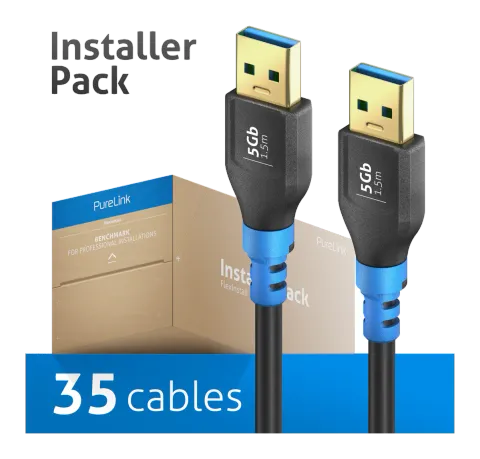
FI-U310-015-PCK
USB 3.2 Gen1 USB-A / USB-A Cable, black, 1.50m, InstallerPack 35pcs
The FI-U310 USB 3.2 Gen1x1 cable is an ultra-flexible, pre-assembled USB-A male to USB-A male cable with blue strain relief, designed for efficient data transmission and device power. It supports data speeds up to 5Gbps …
ManualFAQSpecificationsDatasheetCE declaration ↗FAQ
What type of USB cable is the FI-U310 and what are its main performance features?+–
The FI-U310 is a USB 3.2 Gen1x1 cable that supports 5Gbps data transmission. It offers power transmission with max. power output 3A / 5V / 15W and has ultra-flexible and compact construction with copper conductors and graphene nano shielding.
What are the physical and material specifications of the FI-U310 cable?+–
The FI-U310 cable has a diameter of 4.7 mm with a round shape and ultra flexible, ultra slim, smooth, soft polyvinyl chloride (PVC) jacket. It uses high purity copper conductors with graphene nano shielding and is double shielded.
What are the connector types and features on the FI-U310 cable?+–
The FI-U310 cable has USB Type-A (Gen1) male connectors on both ends with straight form factor. The connectors are gold-plated with gold-plated contacts and have tin connector shielding. Neither connector is lockable.
What certifications and compliance does the FI-U310 cable have?+–
The FI-U310 cable has CE and RoHS certifications.
How is strain relief mounted and dismounted on the FI-U310 cable?+–
To mount, slide the strain relief with its large opening at an angle onto the cable making sure small ribs do not bend inwards, then slide it up to the connector, pull hooks apart and twist them into the designated holes. To disassemble, release the hooks from the holes and pull the strain relief off the cable.