
ActivePossible alternative: PT-MA-HD88MV
PT-MA-HD88DA
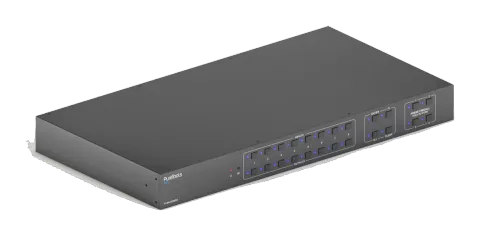
8x8 4K 18Gbps HDMI Matrix with Scaler and Audio Matrix
The 8x8 4K 18Gbps HDMI Matrix with Scaler and Audio Matrix allows switching between 8 HDMI input signals and distributing them to 8 HDMI output displays, supporting 18Gbps bandwidth and resolutions up to 4K UltraHD at …
ManualControl (TCP/IP)Alternative availableFirmwareCE declaration ↗Available control interfaces. Expand an active type to see the full command table.
No matching commands.
RS-232 Commands34 commandsActive
ConnectionCommunication protocol: RS232 Communication Protocol Baud rate: 9600 Data bit: 8 Stop bit: 1 Parity bit: none↓ CSV
Source: manual, chapter RS232 Communication Commands, page 13
| Command | Description | Example | Response | |
|---|---|---|---|---|
| PowerON. | Power on | Front Panel Unlock! | Power ON! | |
| PowerOFF. | Power off | Power OFF! | ||
| /*Name. | Query the name of matrix | PT-MA-HD88DA | ||
| /*Type. | Query the model of matrix | HDMI Matrix | ||
| /^Version. | Query the version of firmware | V1.0.0 CPLD:V1.0.0 | ||
| RST. | Reset to factory default. | Factory Default! | ||
| DS[xx]ON. | Able output devices down-scaling function. [xx]=00~04, xx=01~04 is the corresponding number of output 5,6,7 or 8 port, if the xx =00, it means all output 5~8 ports. | HDMI OUT 05 Down Scale ON! HDMI OUT 06 Down Scale ON! HDMI OUT 07 Down Scale ON! HDMI OUT 08 Down Scale ON! | ||
| DS[xx]OFF. | Disable output devices down-scaling function. [xx]=00~04, xx=01~04 is the corresponding number of output 5,6,7 or 8 port, if the xx=00, it means output 5~8 ports. | HDMI OUT 05 Down Scale OFF! HDMI OUT 06 Down Scale OFF! HDMI OUT 07 Down Scale OFF! HDMI OUT 08 Down Scale OFF! | ||
| OUT[xx]:[YY]. | Output port select input port. [xx]=00~08, xx=01~08 is the number of output port, if the xx =00, it means all output ports. [YY]=01~08, YY=01~08 is the number of input port. | Output 01 Switch To In 01! Analog Out 01 Switch To Video Out 01! Analog Out 02 Switch To Video Out 01! Output 02 Switch To In 01! Output 03 Switch To In 01! Output 04 Switch To In 01! Output 05 Switch To In 01! Output 06 Switch To In 01! Output 07 Switch To In 01! Output 08 Switch To In 01! | ||
| @OUT[xx]. | Able HDMI 5V of output port. [xx]=00~08, xx=01~08 is the number of output port, if the xx=00, it means all output ports. | Turn ON Output 01! Turn ON Output 02! Turn ON Output 03! Turn ON Output 04! Turn ON Output 05! Turn ON Output 06! Turn ON Output 07! Turn ON Output 08! | ||
| $OUT[xx]. | Disable HDMI 5V of output port. [xx]=00~08, xx=01~08 is the number of output port, if the xx=00, it means all output ports. | Turn OFF Output 01! Turn OFF Output 02! Turn OFF Output 03! Turn OFF Output 04! Turn OFF Output 05! Turn OFF Output 06! Turn OFF Output 07! Turn OFF Output 08! | ||
| GetGuiIP. | Query GUI IP | GUI_IP:192.168.0.178! | ||
| SetGuiIP:xxx.xxx.xxx.xxx. | Set GUI IP | SetGuiIP:192.168.0.178! | ||
| Baudratexxxx. | Set the baud rate of local serial port. xxxx=115200, 57600, 38400, 19200,or 9600 | Baudrate9600. Set Local RS232 Baudrate Is 9600! | ||
| STA. | Query Status GUI Or RS232 | Query Status: PT-MA-HD88DA V1.0.0 Power ON! Front Panel UnLock! Local RS232 Baudrate Is 115200! GUI_IP:192.168.0.150! … … | ||
| STA_POUT. | Query 5V Status of output port. | Turn ON Output 01! Turn ON Output 02! Turn ON Output 03! Turn ON Output 04! Turn ON Output 05! Turn ON Output 06! Turn ON Output 07! Turn ON Output 08! | ||
| STA_IN. | Query 5V Status of input port. | IN 1 2 3 4 5 6 7 8 LINK Y Y Y N Y Y Y Y | ||
| STA_OUT. | Query HPD Status of output. | OUT 1 2 3 4 5 6 7 8 LINK Y N Y Y Y Y Y Y | ||
| STA_VIDEO. | Query the input source of output port. | Output 01 Switch To In 01! Output 02 Switch To In 02! Output 03 Switch To In 04! Output 04 Switch To In 01! Output 05 Switch To In 03! Output 06 Switch To In 06! Output 07 Switch To In 04! Output 08 Switch To In 07! | ||
| STA_HDCP. | Query current using HDCP model of all output ports. 01-08 represents output port 1-8. | OUT 01 HDCP PASSIVE! OUT 02 HDCP PASSIVE! OUT 03 HDCP MAT DISPLAY! OUT 04 HDCP BYPASS! OUT 05 HDCP PASSIVE! OUT 06 HDCP PASSIVE! OUT 07 HDCP PASSIVE! OUT 08 HDCP PASSIVE! | ||
| STA_AUDIO. | Query audio switch and volume status of analog audio. | Audio Out 01 Switch To Video Out 05! Analog Out 01 Volume UnMute! Analog Out 01 Volume 50! Audio Out 02 Switch To Video Out 05! Analog Out 02 Volume Mute! Analog Out 02 Volume 32! … Analog Out 08 Volume Mute! Analog Out 08 Volume 75! | ||
| PresetSta[xx]. | Save the scene | Preset 09 Save Success! Preset 09 Sta: Out 01 In 01! Out 02 In 04! Out 03 In 05! Out 04 In 04! Out 05 In 06! Out 06 In 03! Out 07 In 06! Out 08 In 08! | ||
| PresetRecall[xx]. | Scene recall | Preset 09 Recall: Output 01 Switch To In 02! Output 02 Switch To In 02! Output 03 Switch To In 02! Output 04 Switch To In 02! Output 05 Switch To In 04! Audio Out 01 Switch To Video Out 05! Audio Out 02 Switch To Video Out 05! Audio Out 03 Switch To Video Out 05! Audio Out 04 Switch To Video Out 05! Audio Out 05 Switch To Video Out 05! Audio Out 06 Switch To Video Out 05! Audio Out 07 Switch To Video Out 05! Audio Out 08 Switch To Video Out 05! Output 06 Switch To In 04! Output 07 Switch To In 04! Output 08 Switch To In 04! | ||
| Lock. | Lock the front panel buttons. | Front Panel Locked! | ||
| Unlock. | Unlock the front panel buttons. | Front Panel UnLock! | ||
| AUDIO[xx]:[YY]. | SPDIF OUT and ANALOG OUT(They are same input audio source at one group) select which input audio source. [xx]=00~08 xx=01~08 is the number of the output port, if the xx=00, it means all output ports. [yy]=01~16 yy=01~08, it means de-embedded audio from HDMI1-8 input, if the yy=09~16, it means de-embedded audio from HDMI1-8 output. | Audio Out 01 Switch To Video Out 05! Audio Out 02 Switch To Video Out 05! Audio Out 03 Switch To Video Out 05! Audio Out 04 Switch To Video Out 05! Audio Out 05 Switch To Video Out 05! Audio Out 06 Switch To Video Out 05! Audio Out 07 Switch To Video Out 05! Audio Out 08 Switch To Video Out 05! | ||
| AVOLUME[xx]:[YY]. | [xx]=00~08 xx=01~08 is the number of the Analog output port, if the xx=00, it means all Analog output ports. [YY]="V+" means volume up, [YY]="V-" means volume down, [YY]="MU" means Mute, [YY]="UM" means UnMute, [YY]=00-100 means setting volume | 1. Analog Out 01 Volume 55! 2. Analog Out 02 Volume 32! 3. Analog Out 01 Volume Mute! 4. Analog Out 01 Volume UnMute! 5. Analog Out 01 Volume 50! | ||
| HDCP[xx]ON. | Force able and output HDCP 1.4. [xx]=00~08, xx=01~08 is the number of output port, if the xx=00, it means all output ports. | OUT 01 HDCP ON! OUT 02 HDCP ON! OUT 03 HDCP ON! OUT 04 HDCP ON! OUT 05 HDCP ON! OUT 06 HDCP ON! OUT 07 HDCP ON! OUT 08 HDCP ON! | ||
| HDCP[xx]OFF. | Force disable the output HDCP. [xx]=00~08, xx=01~08 is the number of output port, if the xx=00, it means all output ports. | OUT 01 HDCP OFF! OUT 02 HDCP OFF! OUT 03 HDCP OFF! OUT 04 HDCP OFF! OUT 05 HDCP OFF! OUT 06 HDCP OFF! OUT 07 HDCP OFF! OUT 08 HDCP OFF! | ||
| HDCP[xx]MAT. | Output HDCP follows the display. [xx]=00~08, xx=01~08 is the number of output port, if the xx=00, it means all output ports. | OUT 01 HDCP MAT Display! OUT 02 HDCP MAT Display! OUT 03 HDCP MAT Display! OUT 04 HDCP MAT Display! OUT 05 HDCP MAT Display! OUT 06 HDCP MAT Display! OUT 07 HDCP MAT Display! OUT 08 HDCP MAT Display! | ||
| HDCP[xx]PAS. | Output HDCP follows the value and status of input source device. [xx]=00~08, xx=01~08 is the number of output port, if the xx=00, it means all output ports. | OUT 01 HDCP PASSIVE! OUT 02 HDCP PASSIVE! OUT 03 HDCP PASSIVE! OUT 04 HDCP PASSIVE! OUT 05 HDCP PASSIVE! OUT 06 HDCP PASSIVE! OUT 07 HDCP PASSIVE! OUT 08 HDCP PASSIVE! | ||
| HDCP[xx]BYP. | Output HDCP follows input HDCP. Input has HDCP, output is HDCP1.4. Input doesn’t have HDCP, output is without HDCP. [xx]=00~08, xx=01~08 is the number of output port, if the xx=00, it means all output ports. | OUT 01 HDCP BYPASSS! OUT 02 HDCP BYPASSS! OUT 03 HDCP BYPASSS! OUT 04 HDCP BYPASSS! OUT 05 HDCP BYPASSS! OUT 06 HDCP BYPASSS! OUT 07 HDCP BYPASSS! OUT 08 HDCP BYPASSS! | ||
| EDIDMInit. | Restore the factory default EDID data for each input. | All Input EDID Set Default! System Initialization...... 1111 PT-MA-HD88DA V1.0.0 Power ON! Front Panel UnLock! | ||
| EDIDUpgrade[xx]. | Upgrade EDID via Serial Port. [xx]=00~08 xx=01~08 is the number of the port(able EDID user-defined for corresponding HDMI input), if the xx=00, it means all ports(able EDID user-defined for all HDMI inputs). Note: EDID user-defined can be used once, if switch to another EDID or exit, it will not be saved. File size: 256 Baud rate:115200bps Quired time: About 0 second | Please wait... Send Completed!User Define EDID Upgrade OK By RS232 Or GUI! |
RS-232 Commands18 commandsActive
Source: manual, chapter Command Function Feedback Example, page 43
| Command | Description | Example | Response | |
|---|---|---|---|---|
| /+[X]/[yy]:xxx. | [X]= 1--2400;2--4800;3--9600;4--19200;5--38400;6--57600;7--115200. [yy] means the output port that sent serial data, yy=01 means local output. xxx. | |||
| EDIDSTA[xx]. | [xx]=00~08, xx=01~08 is the number of input port, if the xx =00, it means all input ports. | If built-in EDID09 is not user-defined, when querying it, the input port will use EDID6 Internal EDID instead. For example, send "EDID/03/09.", “EDIDSTA03.”, and the result is “Input 03 EDID From 06 Internal EDID!”. If built-in EDID09 is user-defined, when querying it, the input port will use the user-defined EDID. For example, send "EDID/03/09.” “EDIDSTA03.”, and the result is “Input 03 EDID From User Define EDID!”. If directly user-define the port EDID, when querying it, the input port will use the user-defined EDID. For example, send “EDIDSTA03.”, and the result is “Input 3 EDID From User Define EDID!” Input 01 EDID From 01 Internal EDID! Input 02 EDID From 02 Internal EDID! Input 03 EDID From 03 Internal EDID! Input 04 EDID From 06 Internal EDID! Input 05 EDID From 06 Internal EDID! Input 06 EDID From 06 Internal EDID! Input 07 EDID From 06 Internal EDID! Input 08 EDID From User Define EDID! | ||
| CEC[I/O][AA][BB][CC][DD]. | The “[I]” represents the input port. The “[O]” represents the output port. The “[AA]” represents the port number. The HDMI input ports are 01~08. The HDMI output ports are 01~08. The “[AA]” is “FF” for sending command to all input or output ports. The “[BB]” represents the device type (e.g. TV: 40/20/80; Blu-ray DVD: 04/08). The “[CC]” represents the CEC function type (e.g. “44”: Remote control). The “[DD]” represents the specific command from the table below. | |||
| CECI[AA][BB][CC]00. | Confirm operation (Enter). | CECI02044400. | CECI02044400 CEC Input 02 Send Success! | |
| CECI[AA][BB][CC]01. | UP direction. | CECI01044401. | CECI01044401. CEC Input 01 Send Success! | |
| CECI[AA][BB][CC]02. | DOWN direction. | CECI01044402. | CECI01044402. CEC Input 01 Send Success! | |
| CECI[AA][BB][CC]03. | LEFT direction. | CECI03044403. | CECI03044403. CEC Input 03 Send Success! | |
| CECI[AA][BB][CC]04. | RIGHT direction. | CECI03044404. | CECI03044404. CEC Input 03 Send Success! | |
| CECI[AA][BB][CC]09. | Back to submenu. | CECI03044409. | CECI03044409. CEC Input 03 Send Success! | |
| CECI[AA][BB][CC]0A. | Enter main menu. | CECI0304440A. | CECI0304440A. CEC Input 03 Send Success! | |
| CECI[AA][BB][CC]0D. | Exit menu. | CECI0204440D. | CECI0204440D. CEC Input 02 Send Success! | |
| CECI[AA][BB][CC]6D. | Power on. | CECI0204446D. | CECI0204446D. CEC Input 02 Send Success! | |
| CECI[AA][BB][CC]6C. | Power off. | CECI0204446C. | CECI0204446C. CEC Input 02 Send Success! | |
| CECO[AA][BB][CC]41. | Volume up. | CECO05404441. | CECO05404441. CEC Output 05 Send Success! | |
| CECO[AA][BB][CC]42. | Volume down. | CECO05404442. | CECO05404442. CEC Output 05 Send Success! | |
| CECO[AA][BB][CC]43. | Mute | CECO05404443. | CECO05404443. CEC Output 05 Send Success! | |
| CECO[AA][BB]04. | Power on. | CECO038004. | CECO038004. CEC Output 03 Send Success! | |
| CECO[AA][BB]36. | Power off. | CECO038036. | CECO038036. CEC Output 03 Send Success! |