
DiscontinuedPossible alternative: PT-MA-HD88DA
PT-MA-HD88UHD
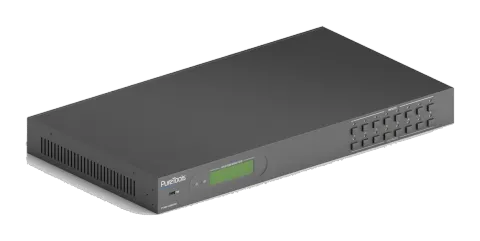
PureTools - HDMI 2.0 Matrix 8x8, 4K (60Hz 4:4:4)
PureTools - HDMI 2.0 Matrix 8x8, 4K (60Hz 4:4:4).
ManualControl (TCP/IP)FAQSpecificationsAlternative availableCEAvailable control interfaces. Expand an active type to see the full command table.
No matching commands.
RS-23242 commandsActive
Source: manual, chapter RS232 Control, page 18
| Command | Description | Response | |
|---|---|---|---|
| /*Type; | Query the model. | XXXXX | |
| /^Version; | Query the version of firmware | VX.X.X | |
| Demo. | Switch to the “demo” mode, convert input and output in turn like1B1, 1B2, …4B3, 4B4, 1B1… and so on. The switching interval is 2 seconds. | Demo Mode AV:01->01 AV:01->02 AV:01->03 AV:01->04 AV:02->01 … | |
| Undo. | To cancel the current operation. | Undo Ok! | |
| PWON. | Work in normal mode. | PWON | |
| PWOFF. | Enter into standby mode, send the “PWON.” to start. | PWOFF | |
| STANDBY. | Enter into standby mode, press other buttons or send other commands to start.) | STANDBY | |
| %9962. | Query the power status | STANDBY/PWOFF/PWON | |
| %9964. | Query the IP address. | IP:XXX.XXX.X.XXX | |
| %0911. | Reset to factory default. | Factory Default | |
| /%Lock; | Lock the front panel buttons. | System Locked! | |
| /%Unlock; | Unlock the front panel buttons. | System Unlock! | |
| %9961. | Query the system locking status. | System Locked/Unlock! | |
| [x]All. | Transfer signals from the input channel [x] to all output channels | X To All. (X=01~08) | |
| All#. | Transfer all input signals to the corresponding output channels respectively like 1->1, 2->2… | All Through. | |
| All$. | Switch off all the output channels. | All Closed. | |
| [x]#. | Transfer signals from the input channel [x] to the output channel [x]. | X Through. (X=01~08) | |
| [x]$. | Switch off the output channel [x]. | X Closed. (X=01~08) | |
| [x]@. | Switch on the output channel [x]. | X Open. (X=01~08) | |
| All@. | Switch on all output channels. | All Open. Out 01 02 03 04 In 01 01 01 01 Out 05 06 07 08 In 01 01 01 01 | |
| [x1]V[x2]. | Switch the input channel [x1] to one or several output channels ([x2], separate output channels with comma). | AV: X1-> X2 (X1/X2=01~08) | |
| Status[x]. | Query the I/O connection status of output [x] | AV: Y-> X (X=01~08, Y=01~08) | |
| Status. | Query the input channel to the output channels one by one. | AV:01->01 AV:01->02 AV:01->03 AV:01->04 AV:01->05 AV:01->06 AV:01->07 AV:01->08 | |
| %9971. | Query the connection status of the inputs. | In 01 02 03 04 Connect Y N Y Y In 05 06 07 08 Connect Y Y Y N | |
| %9972. | Query the connection status of the outputs. | Out 01 02 03 04 Connect Y Y Y Y Out 05 06 07 08 Connect Y Y Y Y | |
| %9975. | Query the I/O connection status. | Out 01 02 03 04 In 03 03 03 03 Out 05 06 07 08 In 03 03 03 03 | |
| %9976. | Query the output resolution. | Resolution Out 1 3840x2160P Out 2 3840x2160P Out 3 3840x2160P Out 4 3840x2160P Out 5 3840x2160P Out 6 3840x2160P Out 7 3840x2160P Out 8 3840x2160P | |
| Save[Y]. | Save the present operation to the preset command [Y], ranges from 1 to 10. | Save To FY (Y=1-10) | |
| Recall[Y]. | Recall the preset command [Y]. | Recall From FY (Y=1-10) | |
| Clear[Y]. | Clear the preset command [Y]. | Clear FY (Y=1-10) | |
| EDIDH[x]B[y]. | Input port [y] learns the EDID from output port [x]. If the EDID data is available and the audio part supports not only PCM mode, then force-set it to support PCM mode only. If the EDID data is not available, then set it as initialized EDID data. | EDIDH[x]B[y] | |
| EDIDPCM[x]. | Set the audio part of input port [x] to PCM format in EDID database. | EDIDPCM[x] | |
| EDIDG[x]. | Get EDID data from output [x] and display the output port number. | Hexadecimal EDID data and carriage return character | |
| EDIDMInit. | Restore the factory default EDID data for each input. | EDIDMInit. | |
| EDIDM[X]B[Y]. | Manually EDID switching. Enable input [Y] to learn the EDID data of output [X]. If the EDID data is not available, then set it as initialized EDID data. | EDIDM[X]B[Y] | |
| EDID/[x]/[y]. | Set the EDID data of input port [x] to built-in EDID No. [y]. [y]=0~11, correspond to the 12 embedded EDID data separately | EDID/[x]/[y] | |
| EDIDUpgrade[x]. | Upgrade EDID data via the RS232 port. X represents the input port, and x=9 represents all input ports. When the switcher receives the command, it will show a message to prompt you to send EDID file (.bin file). Operations will be canceled after 10 seconds. | Please send the EDID file EDID Upgrade OK! | |
| GetInPortEDID[X] | Get the EDID data of input [x], [x]=1~8 | ||
| %9979. | Get the DIP switcher status | EDID RS232 GUI CONTROL 1111 | |
| DigitAudioON[x]. | Enable SPDIF audio output port x. • X=1~8, enable the port x. • X=9, enable all ports. | DigitAudio ON with [x]/ ALL Outputs | |
| DigitAudioOFF[x]. | Disable SPDIF audio output port x. • X=1~8, disable the port x. • X=9, disable all ports. | DigitAudio OFF with [x]/ ALL Outputs | |
| %9977. | Query the status of digital audio of output channels. | Out 01 02 03 04 Audio Y Y Y Y Out 05 06 07 08 Audio Y Y Y Y |